How to Test an Auto-Darkening Welding Helmet Without Welding
Share
Important Disclaimer
Please be advised: There are NO 100% reliable testing methods to determine if a welding helmet is functioning perfectly without trying it in real welding applications. However, the methods below can help identify if a helmet is likely defective.
Before You Begin Testing
Make sure the helmet is:
- NOT in Grind Mode
- Delay set to maximum
- Sensitivity set to maximum
Testing Methods (Ranked by Reliability)
Method 1: TV Remote Control - 99% Reliable (MOST RELIABLE)
This is the most reliable way to identify a defective welding helmet without welding.
How to test:
- Use any working TV remote control
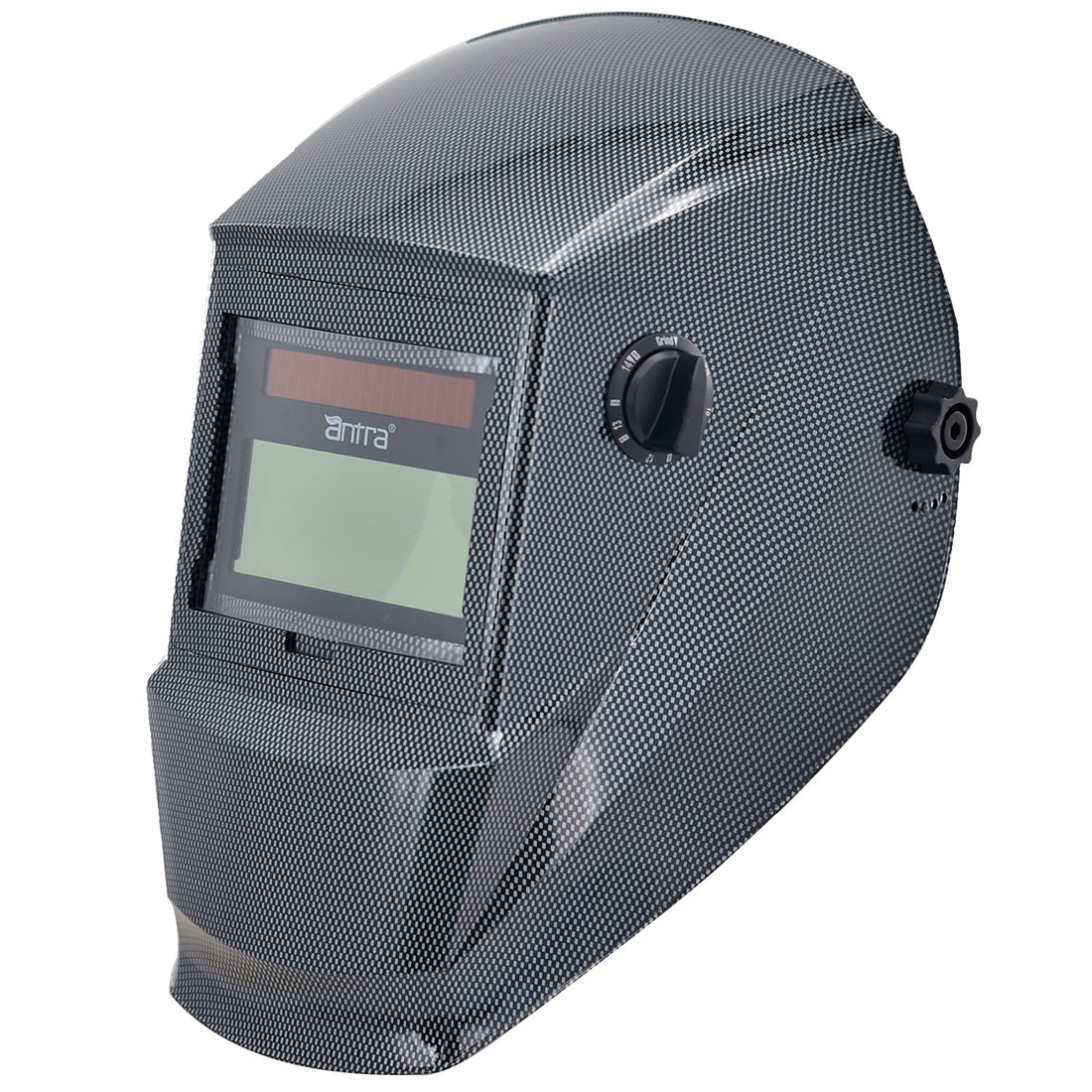
- Point the remote directly at the helmet sensors
- Press and hold any button on the remote
- The helmet should darken immediately
Result: If the helmet does NOT respond, it is most likely defective.
Reliability: 99%
Method 2: Sunlight - 75% Reliable
Note: Some Antra models respond to direct and/or strong sunlight, while others don't. This is by design, not a defect.
How to test:
- Face the helmet toward direct sunlight
- Move your hands quickly over the lens to create shadow changes
- Observe if the helmet darkens
Result: If the helmet darkens, it might not be defective. However, lack of response to sunlight does NOT necessarily mean the helmet is defective.
Reliability: 75%
Method 3: Workshop Lights - 75% Reliable
Most Antra models may respond to some workshop lights when positioned close and directly.
How to test:
- Position the helmet close to a bright workshop light
- Move your hand quickly between the light and the helmet sensors
- Observe if the helmet darkens
Result: If the helmet darkens, it might not be defective.
Reliability: 75%
Method 4: Smartphone Screen - 75% Reliable (with compatible phone)
Some smartphones can trigger the helmet to darken (Pixel phones and others with certain screen types).
How to test:
- Turn your phone screen brightness to maximum
- Hold the phone close to the helmet sensors
- Observe if the helmet darkens
Result: If the helmet darkens with a compatible phone, it might not be defective.
Reliability: 75% (with compatible phone)
Method 5: Self-Test Button - 50% Reliable
The test button initiates a darkening signal internally.
How to test:
- Ensure the lens is exposed to adequate ambient light (Antra helmets require this for testing to work)
- Press the test button
- Observe if the helmet darkens
Result: If the helmet darkens, the self-test passed. If it does not darken, the helmet might have problems.
Important: The lens MUST be exposed to ambient light, otherwise the test will not work.
Reliability: 50%
Method 6: Lighter Flame - 50% Reliable
How to test:
- Use a standard lighter
- Position the flame near the helmet sensors
- Observe if the helmet darkens
Result: If the lighter triggers the helmet to darken, it might not be defective.
Reliability: 50%
Final Verification: Real Welding Tests
Important: If your helmet passes these tests, it might not be defective, but this does NOT guarantee it is functioning perfectly. To fully verify a welding helmet works correctly, you must test it during actual welding:
- Strike a test arc without staring - Verify the helmet darkens before looking at the arc
- Run a long bead without staring initially - Test sustained performance
- Try small amperage applications - Test sensitivity at low power (TIG, low-amp MIG)
- Try large amperage applications - Test performance at high power (STICK, high-amp MIG)
- Try outdoor applications - Test in bright ambient light conditions
- Try dark environments - Test in dim ambient light conditions
Safety reminder: ALWAYS perform the first test strike without staring at the arc to ensure your helmet is functioning properly before exposing your eyes.
Need Help?
If your helmet fails these tests or you're experiencing issues during welding, visit our replacement parts collection or contact our team for assistance.